
Build Your Security Data Lake in Hours
Index data across your environment, wherever it lives. Transform and enrich your data during ingestion. Store the index in your own S3 buckets with complete data ownership.
30+
< 5 min
~$0.02 / GB
100%
How Scanner Collect Works
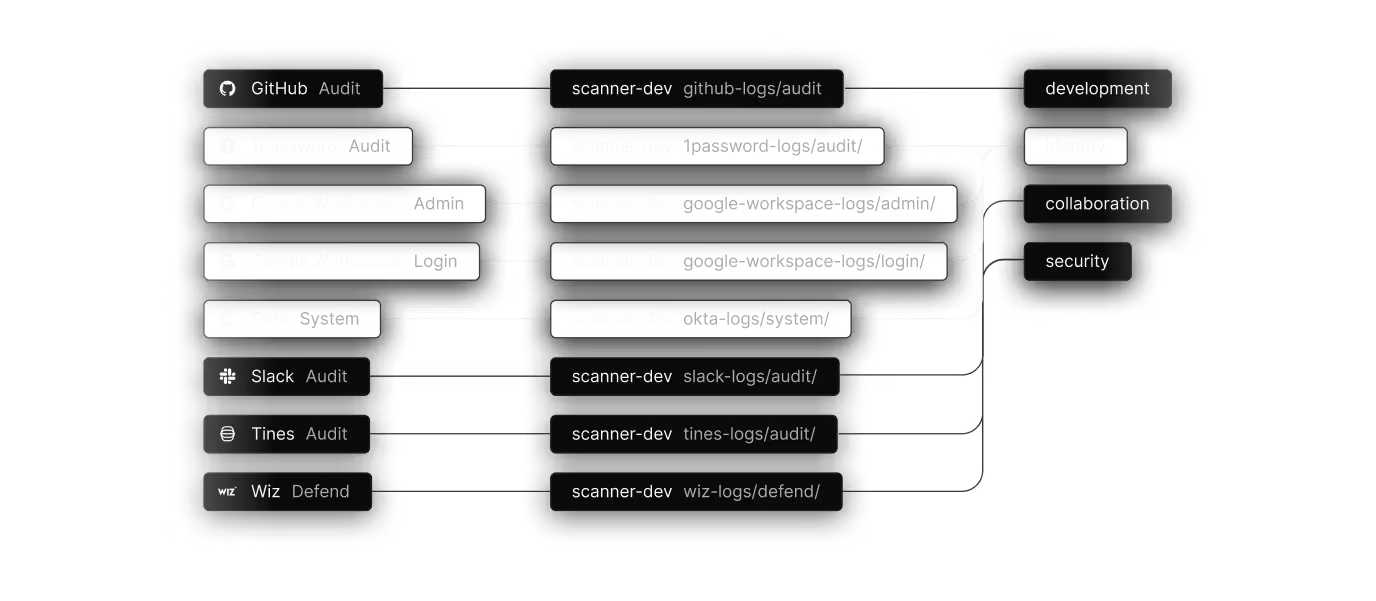
Connect your log sources
Choose from dozens of pre-built integrations covering SaaS applications, cloud platforms, and security tools. No scripts to write, no agents to deploy, no API tokens to manage manually.

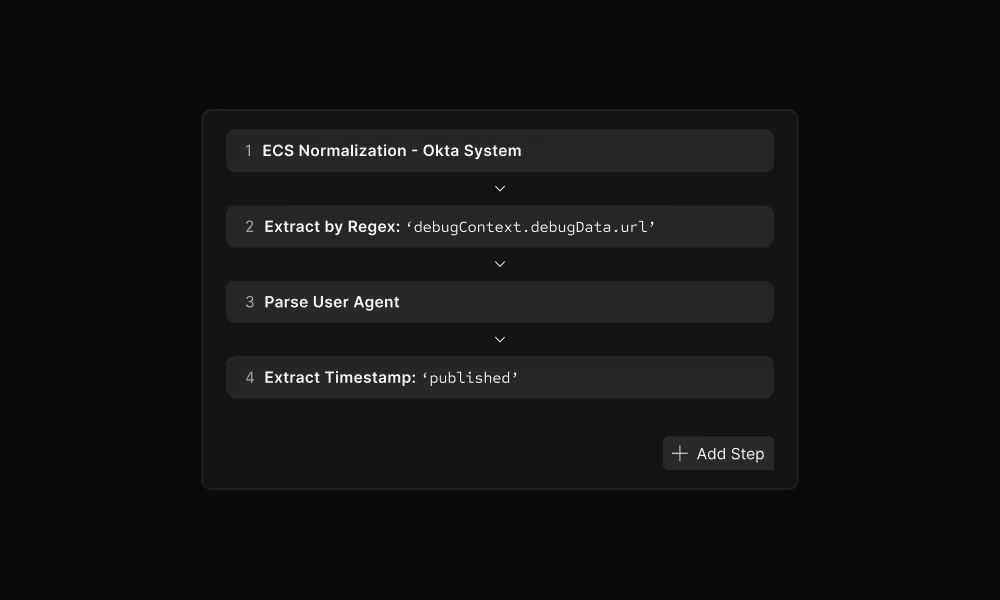
Transform your logs
Parse and normalize logs during ingestion using VRL (Vector Remap Language). Extract fields, handle timestamps, and structure unstructured data - all before indexing.
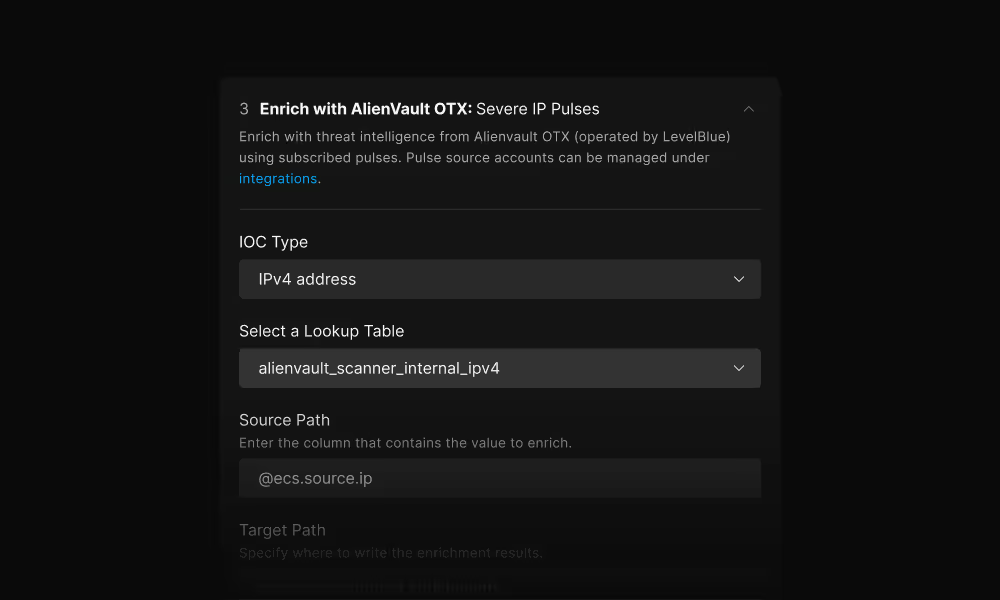
Enrich with context
Add organizational and threat intelligence context during ingestion. All enrichment happens at indexing time, making the context immediately searchable for investigations and detections.
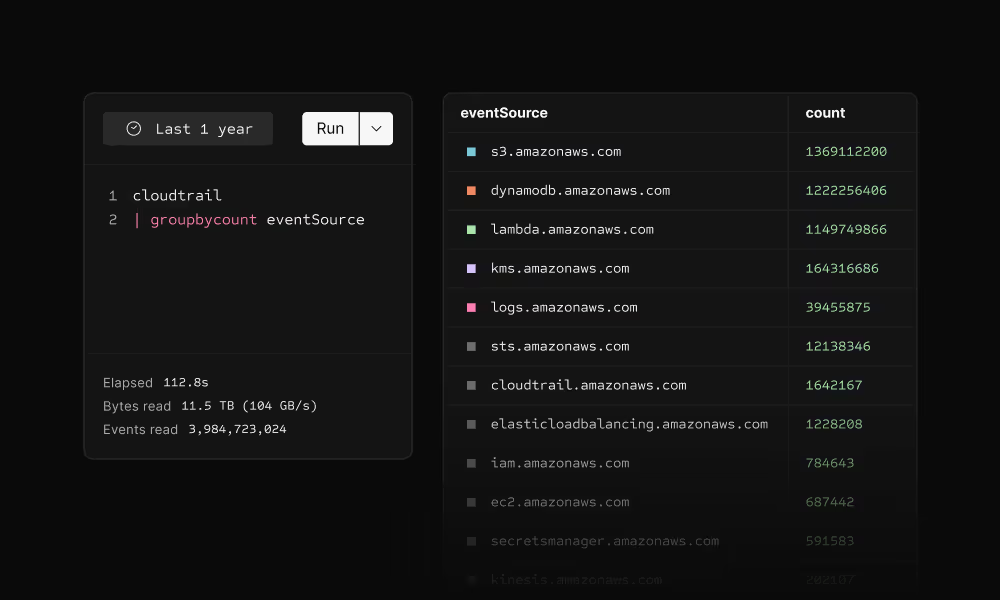
Indexed & immediately searchable
Scanner builds compact index files for your logs, enabling full-text search across petabytes in seconds. Index files use ~15% of storage overhead and remain in your own S3 buckets.
Data lake architecture
Your data remains in place, and Scanner's index stays in your own S3 buckets. No data leaves your environment.
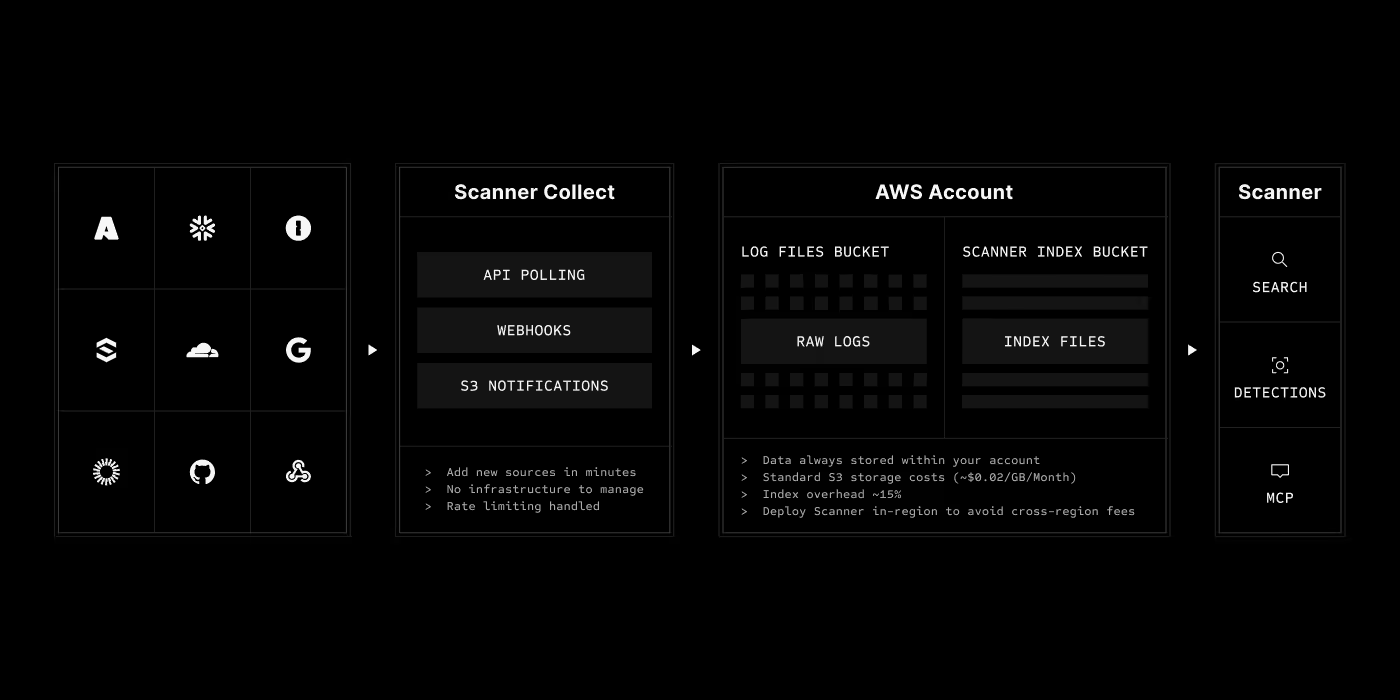
Pre-built integrations
Connect your entire security stack in an afternoon. More sources added regularly based on customer demand.
Scanner Collect vs. building it yourself
Compare Scanner to custom log pipelines and traditional SIEMs.
FAQ
Building a log collection pipeline requires writing code to handle API pagination, rate limiting, authentication, retries, and monitoring for each source. Then you need to maintain it as APIs change. Scanner Collect provides dozens of pre-built integrations that handle all of this automatically, getting you from zero to collecting logs in under 5 minutes instead of weeks of engineering time.
All index data is stored in your own S3 buckets in your AWS account. Scanner never takes custody of your data. You can deploy Scanner in the same region as your buckets to avoid cross-region costs and meet data residency requirements.
Yes! Scanner provides integrations for both GCP and Azure, allowing you to the index log data you have in GCS buckets and Azure Blob Storage containers. Scanner still runs in AWS, but due to the work Scanner does to compress data before transit, transferring a terabyte of logs only costs one to two lattes ($6 to $12) in data transfer costs.
Yes! Scanner has dozens of integrations to pull logs from SaaS tools, like Okta, Google Workspace, SentinelOne, and more. Rather than pivot between these tools during an investigation, you and your AI agents can query them easily and rapidly in Scanner's data lake.
Yes! Typically, teams configure Scanner to tap into the data streams, like Kafka or Kinesis, that feed into their lakes and warehouses. But you can also configure your lakes/warehouses to forward their data to S3, where Scanner can index the data. With either approach, teams quick achieve fast search and detection on the raw data, often skipping heavy data engineering ETL work (and ingestion delays) typically associated with loading data into lakes and warehouses.
Transformations and enrichment happen during ingestion, so they only apply to new logs. Historical logs are not retroactively modified. If you need to re-process historical data with new transformations, you can trigger a re-indexing job.
Start Building your Security Data Lake
See how Scanner Collect can help you consolidate all your security logs, transform them with rich context, and make them instantly searchable - all in an afternoon.